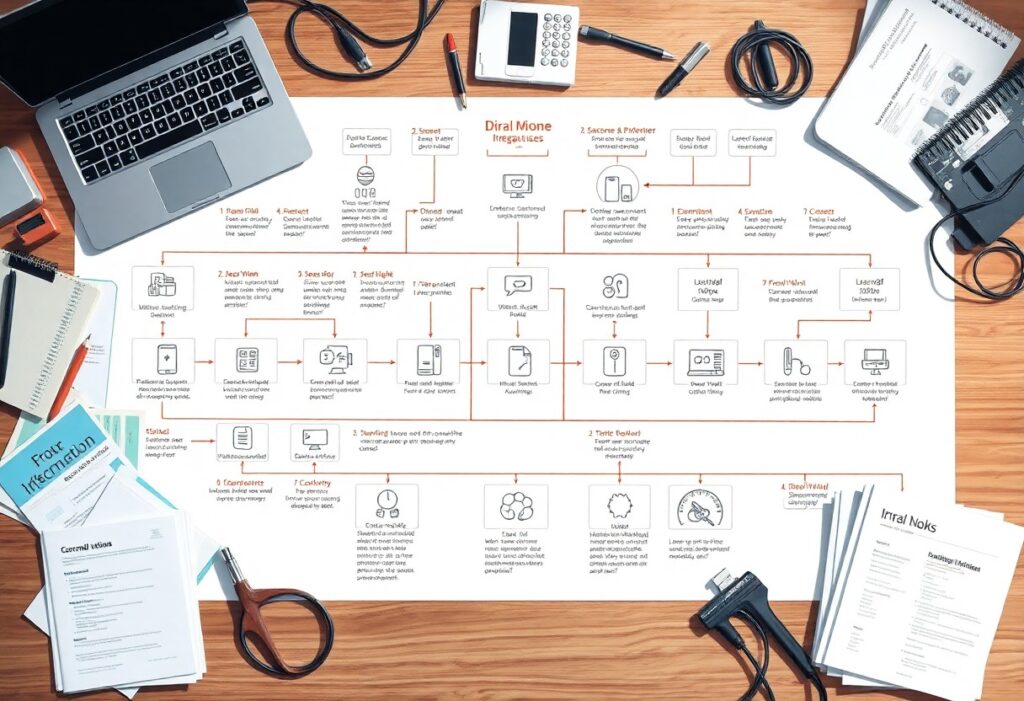
There’s a better way to enhance your operations and achieve seamless system integrations. In this blog post, we’ll explore seven proven steps that will help you streamline your processes and significantly boost your efficiency. By implementing these strategies, you’ll not only improve the way your systems communicate but also pave the way for a more productive and effective work environment. Get ready to transform your approach to integrations and unlock your team’s full potential!
Key Takeaways:
- Assess current processes to identify integration opportunities.
- Involve stakeholders early to ensure alignment and buy-in.
- Utilize standardized protocols to simplify integration processes.
- Implement phased rollouts for manageable testing and adjustments.
- Continuously monitor and optimize systems post-integration for sustained efficiency.
Understanding System Integration
What is System Integration?
System integration refers to the process of linking together different computing systems and software applications to enable them to work as a unified whole. This integration can involve various data sources, applications, and hardware, simplifying workflows and streamlining processes. By allowing disparate systems to communicate, you can enhance functionality and improve your organization’s overall efficiency.
Why It Matters for Efficiency
Efficiency in your operations often depends on effective system integration. When systems are integrated, data silos are eliminated, leading to better data accessibility and faster decision-making. You can reduce operational costs, enhance accuracy, and save valuable time that can be redirected towards innovation and growth.
In fact, a survey found that companies with integrated systems experience up to a 20% increase in productivity. This boost comes from eliminating redundancies and automating routine tasks. A well-integrated environment allows for real-time collaboration across departments, ensuring that everyone is on the same page and can respond quickly to market changes. Hence, prioritizing system integration not only optimizes your current operations but also positions your organization for future success.
Step 1: Identify Your Integration Needs
Identifying your integration needs is the foundational step that sets the course for successful system integration. Begin by pinpointing the specific processes and functions within your organization that require seamless communication. Your integration goals should align with broader business objectives, ensuring efficiency and effectiveness across various departments. Delve into stakeholder requirements to discover the real pain points that integration can address, thereby crafting a more streamlined operation.
Assessing Current Systems
Assessing your current systems involves a thorough audit of all existing tools, software, and workflows. Understanding how each system interacts with others and identifying any gaps or redundancies is necessary. Mapping out data flow will help you visualize the current landscape and highlight areas needing improvement. By recognizing the limitations of your existing systems, you can better determine where integration can yield the greatest impact.
Defining Desired Outcomes
Setting clear, measurable desired outcomes will guide your integration efforts effectively. Consider what success looks like-reduced manual processes, improved data accuracy, and enhanced collaboration among teams. Establishing key performance indicators (KPIs) tailored to your integration goals will allow you to track progress and make informed adjustments. Engage with team members to gather insights on their requirements and expectations, ensuring that the integration serves them optimally. A comprehensive understanding of these outcomes will drive focused actions, ultimately enhancing productivity and driving growth.
Step 2: Choose the Right Integration Method
Identifying the ideal integration method is key in optimizing your business processes. You can enhance operational efficiency by selecting between APIs and middleware-each offering unique advantages. Explore 7 Tips to Streamline Business Processes and Boost … for more insights.
API vs. Middleware
When deciding between APIs and middleware, consider your specific integration needs. APIs allow direct communication between applications, enabling quick data exchange and real-time updates. Middleware, on the other hand, acts as a bridge for integration, allowing multiple systems to connect without direct interaction.
Pros and Cons of Each
Pros and Cons Comparison
| API | Middleware |
|---|---|
| Faster implementation | Supports multiple integrations |
| Real-time data exchange | Can handle complex workflows |
| Lower setup costs | Provides data transformation |
| Ease of use | Increased flexibility |
| Potential security limitations | Higher development costs |
| Limited to specific endpoints | May require additional training |
| Version control issues | Complex implementation |
| Risk of vendor lock-in | Slower to adapt |
| Requires robust documentation | Can require more resources |
| Ideal for simple tasks | Good for larger systems |
Analyzing the pros and cons of APIs and middleware will help refine your integration strategy. While APIs boast speedy implementation and lower costs, they may pose challenges in terms of security and may leave you vulnerable to vendor lock-in. Conversely, middleware is excellent for complex systems requiring transformations but often comes with a steeper price. Finding balance will ensure you choose what aligns best with your operational needs.
Step 3: Prepare Your Data
Preparing your data effectively ensures a smooth integration process, minimizing potential disruptions. Clean, accurate data fosters trust in your integrated systems and guarantees reliable outcomes. Delve into the fundamentals of data preparation by utilizing techniques like data cleansing and data mapping to create a seamless experience. For insights on enhancing your approach, check out 7 Strategies for Streamlining Solutions Effectively.
Data Cleansing
Data cleansing is where you scrub your data for accuracy and consistency. This process identifies duplicate records, incomplete fields, and inaccuracies that can skew your results. By ensuring your data is clean, you significantly reduce errors in reporting and analytics, paving the way for informed decision-making.
Data Mapping
Data mapping involves outlining how data from one system corresponds to data in another. This step is vital in ensuring that fields align correctly during integration, facilitating smooth data flow. Comprehensive data mapping can save you from significant headaches later, ensuring all information transfers accurately between systems.
In practice, effective data mapping includes creating a visual representation of your data relationships, specifying the source and destination for each data field. For instance, if you’re integrating a CRM with an ERP system, a clear mapping document prevents fields like “Customer ID” from getting mismatched with “Client Number.” This precision not only enhances data integrity but also offers an ongoing framework for your integration strategy, ensuring that future updates remain cohesive and efficient.

Step 4: Implement Integration Tools
To achieve seamless system integrations, leveraging the right integration tools is vital. These tools streamline data flow between systems, reducing manual processes and minimizing errors. By selecting a combination of middleware, APIs, and custom connectors, you can efficiently link disparate systems, enhancing overall operational efficiency and reliability.
Selecting the Best Tools
Your choice of integration tools can significantly impact the success of your projects. Factors to consider include compatibility with existing systems, ease of use, scalability, and support services. Tools like Zapier for no-code solutions or MuleSoft for robust API management offer various capabilities tailored to specific business needs, ensuring you find the right fit.
Best Practices for Implementation
Effective implementation of integration tools requires careful planning to minimize disruptions. Start by conducting a thorough assessment of your existing systems and defining clear integration objectives. Phased rollouts can prevent overwhelming your team, while regular training sessions keep everyone updated on new processes. Continuous monitoring is vital for identifying areas of improvement post-implementation.
Implementing integration tools also means embracing a culture of collaboration and adaptability. Engage your team early in the process to gather their input, as firsthand experiences often highlight potential challenges and improvements. Document the integration steps meticulously-this provides a valuable reference for troubleshooting and onboarding new team members. By building on their insights, you create a more robust, user-friendly system that aligns with your organizational needs.

Step 5: Test Your Integration
Testing your integration is an necessary part of ensuring everything functions smoothly before going live. It allows you to identify and rectify any discrepancies, ensuring that data flows seamlessly between systems. Not only does this minimize operational disruptions, it also enhances the user experience and builds confidence in your integrated systems.
Importance of Testing
Ensuring your system integrations work properly through rigorous testing helps you avoid costly errors and downtime. It not only checks for functionality, but also assesses performance, security, and user experience. Skipping this step can lead to significant setbacks that affect your entire operation.
Common Testing Methods
Common testing methods include unit testing, integration testing, and user acceptance testing (UAT). Each method plays a vital role: unit testing verifies individual components, integration testing evaluates interactions between systems, and UAT assesses the entire workflow from a user’s perspective. Implementing these methods systematically can significantly improve your integration reliability.
Unit testing typically involves checking specific functions or procedures in isolation, ensuring they perform as expected. Integration testing then follows, simulating the interactions between the systems, which helps identify any data mismatches or communication failures. Finally, UAT involves real users testing the integrated system in a controlled environment to confirm it meets their needs and expectations. This layered approach ensures thorough coverage of potential issues, optimizing your integrations for maximum efficiency before full deployment.
To wrap up
With this in mind, implementing the 7 proven steps for streamlined system integrations will enhance your operational efficiency and overall workflow. By embracing these strategies, you can effectively reduce redundancies, improve communication between systems, and optimize your processes. Take the time to evaluate your current systems and apply these insights, and watch as your organization thrives with greater harmony and productivity.
FAQ
Q: What are the seven steps for streamlined system integrations?
A: The seven steps include: 1) Define your goals, 2) Choose the right tools, 3) Prepare your systems, 4) Implement integration solutions, 5) Test your integrations, 6) Monitor and optimize, and 7) Document processes and results.
Q: Why is it important to define goals before integration?
A: Clearly defined goals provide direction, ensuring that the integration efforts align with business objectives and maximize the potential for efficiency improvements.
Q: How do I choose the right tools for integration?
A: Evaluate tools based on compatibility with existing systems, scalability, user experience, and vendor support to select the best options for your integration needs.
Q: What is the significance of testing integrations?
A: Testing integrations allows you to identify issues, ensure data consistency, and confirm that all systems work together seamlessly before going live.
Q: How can monitoring and optimization enhance integration efficiency?
A: Continuous monitoring helps detect performance bottlenecks and offers data-driven insights, allowing for timely adjustments that improve overall system efficiency.