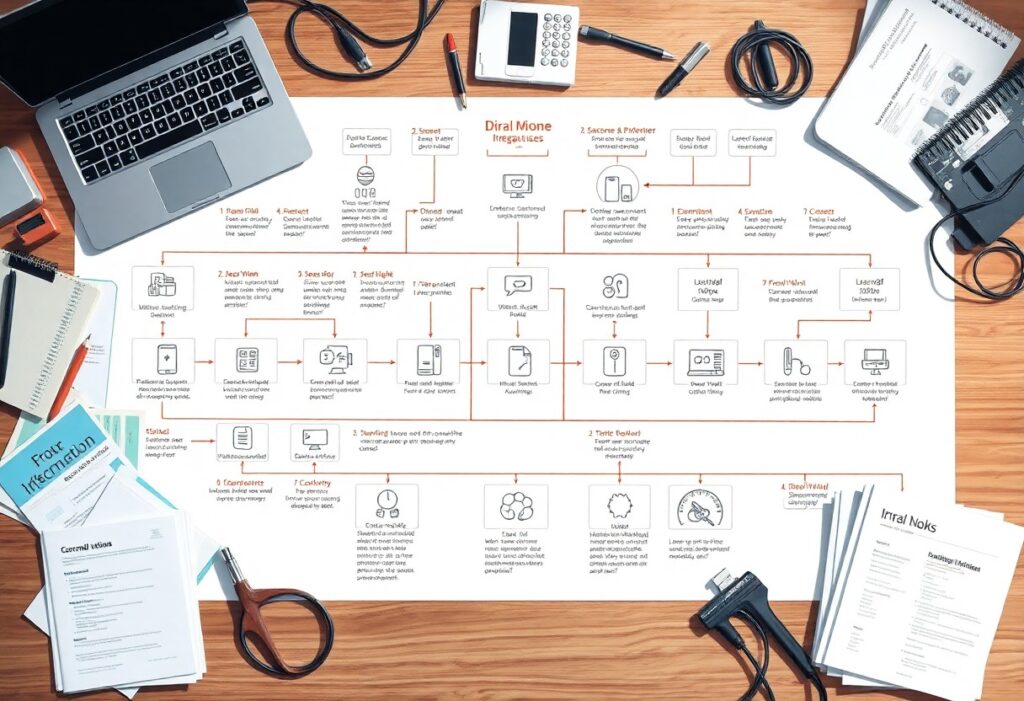
Intelligence in automation can transform your business processes and enhance your efficiency. In this guide, you’ll discover simple steps to create intelligent automation systems tailored to your needs, boosting productivity while minimizing errors. Whether you’re new to the concept or looking to refine your approach, this journey will empower you to leverage technology effectively. For a deeper understanding, check out What Is Intelligent Automation? | Complete Guide by ….
Key Takeaways:
- Understand the basic components of intelligent automation systems, including AI, machine learning, and process automation.
- Identify specific business processes that can benefit from automation to enhance efficiency.
- Utilize appropriate tools and platforms for building automation systems based on project requirements.
- Implement iterative testing and feedback loops to continuously improve automation performance.
- Ensure proper training and change management practices for users interacting with the automated systems.
Understanding Intelligent Automation
Grasping the concept of intelligent automation is vital for anyone looking to enhance operational efficiency. This approach integrates artificial intelligence (AI), machine learning, and process automation to streamline workflows. It empowers systems to not only execute repetitive tasks but also make decisions based on data analysis, fostering a significant transformation in how businesses operate and innovate.
What is Intelligent Automation?
Intelligent automation combines traditional automation practices with advanced technologies like AI and natural language processing. This hybrid system performs tasks with minimal human intervention while continuously learning from data patterns. As a result, you can optimize processes, reduce errors, and free up valuable resources for more strategic efforts.
Key Benefits of Automation
The advantages of intelligent automation are profound and multi-faceted. By implementing these systems, you can experience enhanced productivity, reduced operational costs, and improved accuracy in your processes. In fact, organizations that utilize automation can achieve productivity gains of up to 30%, allowing you to redirect human talent towards innovation rather than mundane tasks.
Beyond just efficiency, intelligent automation enhances scalability and adaptability in your operations. For example, companies like Amazon rely on automated systems to manage inventory and logistics, significantly reducing lead times and errors. This not only drives down costs but also positions your organization to respond quickly to market changes, enhancing competitiveness. As such, prioritizing intelligent automation not only leads to immediate improvements but also future-proofs your business against evolving industry demands.

Step-by-Step Guide to Creating Automation Systems
Creating automation systems can significantly streamline your workflow and boost productivity. This The Beginners Guide to AI Automations covers the vital phases, making it easy for you to implement effective solutions across various tasks. Focus on identifying your needs, defining clear goals, and systematically testing your automation processes to ensure success.
Identifying Automation Opportunities
Identifying Automation Opportunities
Start by pinpointing repetitive tasks that consume your time and resources. Analyze your daily activities and seek out inefficiencies where automation can improve speed and accuracy. For example, conducting regular data entry or generating reports can be automated, allowing you to allocate your efforts to higher-value tasks.
Defining Process Goals
Defining Process Goals
Establishing well-defined process goals is vital to the success of your automation initiatives. Your goals should align with overall business objectives and include measurable outcomes, such as reducing time spent on tasks or enhancing accuracy. Aim for specific targets like cutting processing time by 30% or decreasing errors by 50%, which provide clarity and motivation for your automation efforts.
By setting clear and quantifiable goals, you create a roadmap for your automation projects. This helps you stay focused on the desired outcomes while enabling you to assess the effectiveness of your systems. Whether your aim is to increase overall throughput or enhance customer satisfaction, having defined milestones aids in measuring progress and adjusting strategies accordingly.

Essential Tips for Developing Automation
Streamlining your automation journey involves several important practices. First, focus on establishing clear goals and metrics for your automation efforts. This clarity helps in understanding outcomes and measuring success. Regularly review and adjust your processes based on data collected during implementation. Prioritize the use of reliable tools, invest in training for your team, and foster a culture of continuous improvement. Documentation is equally important for ongoing system maintenance. Engagement with stakeholders ensures alignment with organizational objectives. Recognizing the value of iterative processes will significantly enhance your automation system’s performance.
Choosing the Right Tools
Selecting the appropriate tools for automation can significantly impact your project’s success. Evaluate software options based on user-friendliness, integration capabilities, and scalability to ensure they fit your current and future needs. Consider tools that provide robust support and community resources, as they can facilitate quicker problem resolution. Favor solutions with positive user reviews and case studies demonstrating their effectiveness, which can guide your decision in establishing a dependable automation framework.
Testing and Iterating Your System
Your automation system will never be perfect after the initial implementation. Ensure you continuously test and iterate based on real-world feedback. Use A/B testing techniques to compare different approaches, allowing you to identify the most effective methods. Collect data regularly, analyzing success metrics and gathering user input for enhancements. Adjusting your automation as needed not only improves efficiency but also keeps up with changing objectives and processes.
Testing and iteration are ongoing practices in developing your automation system. You may realize that user adoption varies, requiring adjustments or enhancements to the interface and functionalities. By setting up iterative cycles for review every few weeks, focusing on user feedback, and responding to any issues promptly, you enable a responsive evolution of your system. Such proactive management can improve user experience and system performance, ultimately contributing to higher productivity and better outcomes.
Factors to Consider for Successful Automation
For your automation efforts to flourish, pay attention to several key factors. Consider the cost implications, the technology you integrate, and the processes selected for automation. The cultural aspect within your organization matters significantly, as resistance can stifle progress. Moreover, maintain a focus on data quality and security to preempt potential issues. Identifying the correct metrics to measure success will also enhance outcomes. Recognizing these elements will pave the way for creating a more robust automation environment.
Scalability and Flexibility
When designing your automation systems, scalability and flexibility are vital for adapting to future growth. Choosing platforms that allow you to easily scale operations without extensive rewiring can save time and money. This adaptability ensures you can incorporate new technologies and processes as your business evolves, optimizing efficiency and maintaining responsiveness in a fast-paced market.
Employee Involvement and Training
Engaging your employees in the automation journey is vital for achieving success. Their input can guide suitable automation choices that align with daily operations. Providing training ensures they are comfortable with new tools and processes, bolstering engagement and productivity. Ultimately, involving employees fosters a culture of collaboration and innovation, significantly benefiting overall performance.
Involving employees from the outset leads to better adoption rates and more efficient use of automation tools. Providing hands-on training, combined with ongoing support, enables your team to address challenges and share insights about workflow improvements. For example, a company that integrated employee feedback during its automation rollout saw a 25% increase in productivity within six months, showcasing how pivotal their involvement was. Prioritizing continuous engagement and development helps create a proactive environment where automation thrives.
Common Mistakes to Avoid
Avoiding pitfalls in your automation journey is key to maximizing efficiency. As you commence on creating intelligent automation systems, be particularly aware of over-automating processes and neglecting necessary monitoring and maintenance. These mistakes can severely hamper productivity and lead to costly setbacks in your initiatives.
Over-Automating Processes
Striking the right balance in automation is imperative; over-automating processes can lead to complexity and reduce flexibility. Simplifying tasks is beneficial, but implementing automation for every single task can create confusion and hinder workflow. Always ensure that human oversight remains in critical areas to maintain control and adaptability.
Neglecting Monitoring and Maintenance
Failing to implement a robust system for monitoring and maintenance of your automation can result in diminished performance over time. Without ongoing oversight, you risk encountering errors that could escalate. Proper maintenance ensures that systems remain functional and aligned with your evolving business needs.
Monitoring isn’t a one-time task; it’s a continuous process that involves regularly assessing system performance, updating software, and addressing any anomalies. For instance, research shows that companies who engage in routine maintenance reduce downtime by up to 30%. Simple dashboards displaying key performance indicators can help you stay informed about potential issues before they become significant problems. Prioritize this to ensure your intelligent automation systems operate at peak efficiency.

Best Practices for Maintaining Automation Systems
Conducting routine maintenance and improvements is necessary to the longevity and effectiveness of your automation systems. Your systems must adapt and evolve in response to changing business needs, technological advancements, and user feedback. By implementing steadfast best practices, you not only lower the risk of errors but also guarantee that your automation continues to provide value over time.
Regular Reviews and Updates
Conducting regular reviews and updates on your automation systems aids in identifying inefficiencies and vulnerabilities. Set a consistent schedule for evaluation, ideally every quarter, to analyze performance metrics and user experiences. Incorporating feedback enables you to tweak existing processes, ensuring they align with your objectives while maintaining optimal functionality.
Adapting to Changing Needs
As your business evolves, so should your automation systems. Staying attuned to shifts in your organization’s structure, market demands, or technological breakthroughs allows you to adapt your systems effectively. Implementing new features or processes tailored to current needs can drastically elevate efficiency and productivity while avoiding stagnation.
For instance, a marketing automation tool that initially focused on email campaigns may need to pivot to include social media integrations as your audience’s engagement channels change. Emphasizing the collaborative aspect of adapting systems-including input from team members who interact with these technologies-can uncover valuable insights that inform necessary adjustments. Ultimately, investing time and resources in evolving your automation alongside your business landscape positively impacts long-term performance and satisfaction.
Final Words
Now that you’ve explored the basics of creating intelligent automation systems, it’s time to put your knowledge into action. Focus on taking incremental steps, experimenting with different tools, and refining your processes. With each effort, you’ll enhance your efficiency and gain confidence in your ability to implement automation effectively. Embrace the journey, stay curious, and enjoy the benefits of a more streamlined approach to your tasks!
FAQ
Q: What is intelligent automation?
A: Intelligent automation combines robotic process automation (RPA) with artificial intelligence (AI) to enhance business processes. It allows systems to perform tasks with minimal human intervention, making processes more efficient and reducing errors.
Q: What are the first steps to creating an intelligent automation system?
A: Initiate by identifying the processes that are repetitive and time-consuming. Next, analyze the current workflow to understand where automation can be applied effectively. Following this, set clear objectives for what you want to achieve with automation.
Q: How can I choose the right tools for my automation system?
A: Evaluate different automation tools based on your specific needs. Consider factors like usability, scalability, compatibility with existing systems, and support services. Additionally, look for tools that have a strong community or vendor support to assist with implementation.
Q: What skills do I need to develop intelligent automation systems?
A: Familiarity with programming languages, data analysis, and process mapping is beneficial. Moreover, an understanding of business process management and project management will help in effectively deploying automation initiatives.
Q: How do I measure the success of an intelligent automation implementation?
A: Establish key performance indicators (KPIs) such as time savings, error reduction, cost efficiency, and improved productivity. Regularly review these metrics after deployment to ensure that the automation system meets its intended goals.