When the heat goes out, an HVAC website should say which failures the on-call tech rolls for and should send that note to the person who answers before they call back. The emergency page should name the failures the on-call tech actually rolls for, and the maintenance page should not pretend to be that visit. A single page that offers both a no-heat call and a tune-up makes the office guess which truck to load.
If anyone smells gas or a carbon monoxide alarm sounds, the page should tell them to get out and call emergency services or the gas utility first, and the HVAC company second.
This guide covers what the no-heat page has to name, what belongs on the maintenance page, how to split the two forms, who should see each request, and what the callback should already know.
Takeaways
- Name the failures the on-call tech actually rolls for: no heat, no cooling, a system that will not start, a hot smell at the equipment.
- Keep maintenance, filter plans, and seasonal checkups on their own page and in the office queue.
- Give each visit its own form, and deliver it to the person who will act on it.
- Make the callback a confirmation of facts already on the note, not the first time anyone asks what failed.
- Leave the homepage as a pointer, not as the only form.
What the No-Heat Page Has to Name
The no-heat page has to name the failures a tech will leave the house for tonight. Say no heat, no cooling, a system that will not start, a thermostat that is dark, and a hot or burning smell at the furnace, the air handler, or the outdoor unit. Those are the visits. A sentence that only says you are there when people need you does not tell the caller, or your own office, which of those visits this is.
Say what you need in order to roll. Is the indoor unit running? Is there any heat at the registers? Is the smell at the equipment or somewhere else in the house? Is someone staying there who cannot wait until morning? Those questions are how the on-call tech decides between a night roll and a first-light visit. Put them on the page in ordinary words, above the form, so the caller meets the boundary before the questions.
Say what this page will not do. It will not book a tune-up, sell a maintenance plan, or quote a full system change while the house is cold. Those are real offers, but they are the other page. If you mix them here, a homeowner booking a checkup they have been delaying will land in the night queue beside a furnace that has stopped, and the tech then calls back to discover the house still has heat.
Name the equipment the way your callers do, and add the shop word beside it. Callers say the heater, the air conditioner, and the thermostat, while techs say furnace, air handler, condenser, and heat pump. The page can use both, once, so the note does not need a translator. Do not turn the page into a repair lesson. You are not teaching the homeowner to open the unit. You are teaching them which visit they are asking for.
The HVAC page sells the work, and this article is about what the no-heat page must say. The selling page can invite the call, but the emergency page is the one that has to name the failure. Other trades live on the Home Services page, and they should not share this form.
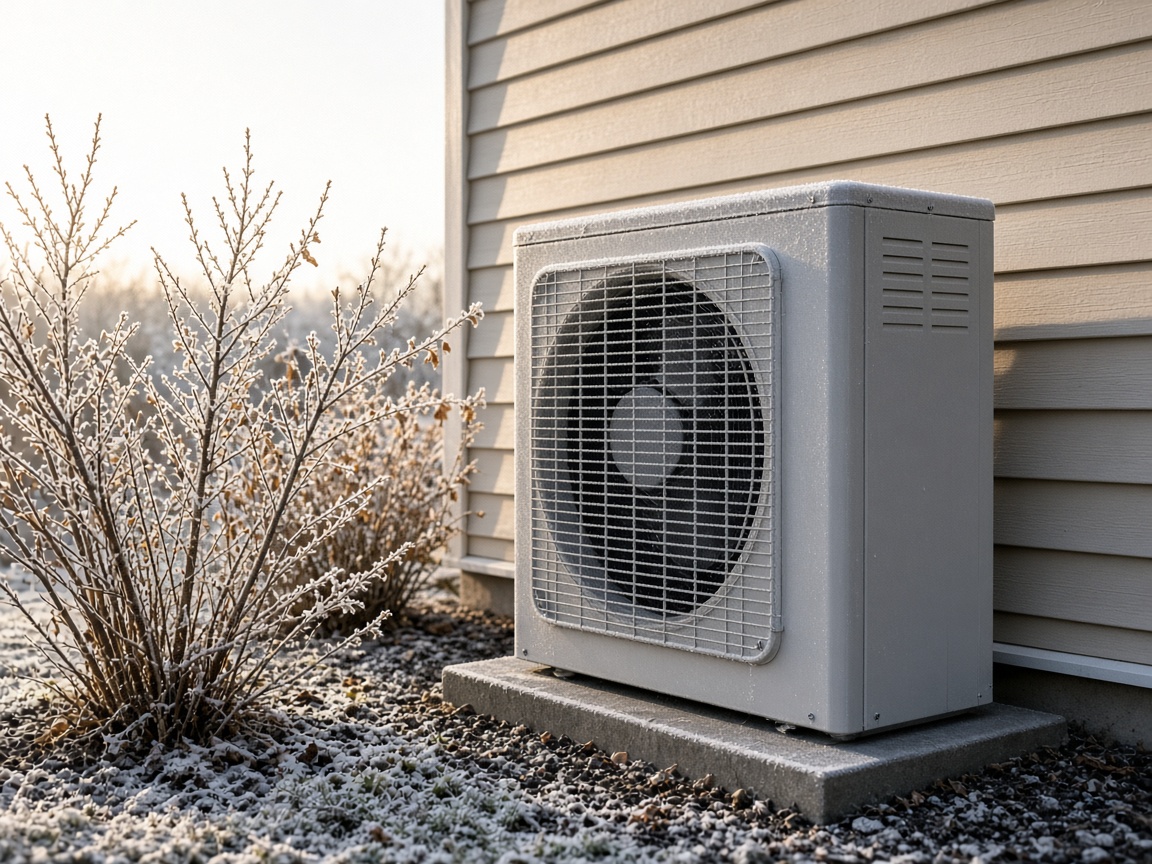
Light frost covers an outdoor heat pump and the shrubs beside a house.
What Belongs on the Maintenance Page
The maintenance page belongs to work that can wait for a scheduled visit. A tune-up, a filter plan, a checkup before a season of heavy use, and a system the homeowner wants looked at while it is still running are this page. Nothing on it should sound like a truck is about to roll because the house went cold.
Ask for the system and the timing: which equipment, how old it feels to the owner if they know, whether they want a one-time checkup or a plan, and which days someone can be home. Ask whether anything is failed right now, and if the answer is yes, send them to the no-heat page instead of letting them finish the maintenance form. A checkbox that says the system is down should move the person, not file them as a polite tune-up.
The page can say a maintenance visit is scheduled and that it is not dispatched as an emergency. It can say what the tech will look at in a checkup: airflow, the filter, the outdoor unit, the thermostat, and safety controls. It should not imply that a checkup is the same arrival as a no-heat call. Homeowners conflate those because both involve the same machine, and your page has to unconflate them.
If you offer replacement estimates, give them a third door. Ask the age of the system and the timing they have in mind. An estimate is neither a no-heat roll nor a filter change, and stuffing it into either form hides the visit.
How to Split the Two Forms
Split the forms so a no-heat note and a maintenance note cannot be the same shape. Same shape means same inbox behavior, and the person who answers will treat them alike until they dial.
Build the split in this order.
- List the failures the on-call tech rolled for in a recent month, in the words they used on the phone.
- List the maintenance and estimate requests the office booked in that same stretch, and cross out any that were actually failures misfiled.
- Write a no-heat form with failure, condition of the house, callback for tonight, and address, and nothing about preferred weekday.
- Write a maintenance form with system, timing, and whether anything is failed right now, with a path that leaves the form if the answer is yes.
- Deliver the first form to the on-call inbox and the second to the office queue, then submit one test of each after hours.
Step three is where sites get cute and add a comment box instead of choices. Choices are better: no heat, no cooling, will not start, hot smell at the equipment, something else. "Something else" still needs a line of detail, but the common rolls should be a tap, and the tech should see the tap before they see a paragraph.
Step four's escape hatch matters more than the branding. If a person on the maintenance page says the system is down, do not thank them for requesting service and file a tune-up. Move them to the no-heat questions before you take the number. A dead end that says "please call us" loses the people who will not call, and it loses the facts the form was about to collect.
Step five is the proof. You should be able to tell the two tests apart without opening them side by side and squinting: different subject, different destination, different fields. If both land in one mailbox with the subject "new website lead," the split is cosmetic.
Who Should See Each HVAC Request
The person who answers has to see the right form before they call back. A no-heat note that sits in a general inbox until morning is a maintenance workflow wearing an emergency headline.
| Request | Fields the form collects | Who sees it first | What they do next |
|---|---|---|---|
| No heat or no cooling | Failure, indoor unit running or not, someone who cannot wait, callback, address | On-call HVAC tech | Confirm and roll, or set first light |
| System will not start | Thermostat dark or not, any hot smell, callback, address | On-call HVAC tech | Same night path as a no-heat call |
| Hot smell at the equipment | Where the smell is, whether the system is still on, callback, address | On-call HVAC tech | Treat as a stop-running-it call |
| Tune-up or filter plan | Which system, one-time or plan, days someone is home | Office, in the morning | Schedule, do not page the tech |
| Replacement estimate | Age, what is failing if anything, timing they have in mind | Estimator or office | Book a conversation, not a night truck |
The first three rows share a destination because they share a truck. They should not share a form with the last two rows, and a hot smell is not a tune-up with "urgent" typed into the comments. If your on-call rotation changes by the day, the destination can be a role, "on-call tech," rather than a person's private address that you forget to update. The role has to be watched after the office closes, because a role nobody monitors is the general inbox again.
The office queue for maintenance should be quiet at night on purpose. If the on-call tech also receives tune-up requests, they will either ignore the queue and miss a real failure buried in it, or they will call tune-ups at night and train customers to expect that. Separate destinations protect the night person from the day book.
Show this table to whoever answers the phone and ask which row they would misfile today. Their answer is the next edit. Owners often defend a single form because the phone staff is experienced, but experience is what they use to repair a vague note, and the form's job is to make that repair unnecessary.
What the Callback Should Already Know
The callback should already know the failure, the condition, the number that works tonight, and the address. If the person dialing has to ask what is wrong with the heat, the page did not do its work. The call can confirm, add a gate or a unit, and say whether someone is rolling, but it should not restart the intake.
Read the note out loud before you dial, in one sentence: no heat, indoor unit not running, caller on site, this address. Or: tune-up, system still heating, Thursday afternoon. If you cannot make that sentence, call only to fill the hole, and mark the form so the missing field gets required. A pattern of holes is a form problem, not a customer problem.
Watch the maintenance queue for failures that slipped through. A note that says the house is freezing, filed as a checkup, means the escape hatch failed or never existed, so move that job to the on-call path the same hour and fix the form the same day. The reverse slip matters too: a no-heat form used to ask for a filter change wastes a night dispatch, so send it to the office and tighten the choices so a plan signup is hard to pick by accident.
Link the pages to each other. The no-heat page points to maintenance for systems that are still running, and the maintenance page points to no-heat when something has stopped. After a cold stretch, the no-heat page is right when the night roll matches the failure on the form, and the maintenance page is right when nobody was dispatched after dark for a checkup.
Questions
What Should the No-Heat Page Name Out Loud?
The failures the on-call tech rolls for: no heat, no cooling, a system that will not start, a dark thermostat, and a hot smell at the furnace, air handler, or outdoor unit. It should also ask whether the indoor unit is running and whether someone in the house cannot wait until morning.
What Should Stay on the Maintenance Page Instead?
Tune-ups, filter plans, checkups on a system that is still running, and replacement conversations. Those notes need the system and the timing, and they belong in the office queue. They should not page the on-call tech.
Why Do the Two HVAC Forms Have to Land in Different Places?
Because the person who answers acts on what they see. A no-heat note has to reach the on-call tech before the callback, and a maintenance note should wait for the office. One shared inbox makes both visits look like a message to sort by hand.
What Should the Callback Already Contain?
The failure or the scheduled task, the condition of the house, a number that will be answered, and the address. The call confirms those facts and handles access. It should not be the first time anyone asks what went wrong with the heat.
Where Should a Homepage Form Sit in This Split?
Nowhere as the only form. The homepage can point to the no-heat page and the maintenance page, but a single box on the homepage puts both visits back in one pile, which is the mix this split exists to end.
Conclusion
When the heat goes out, the HVAC page that matters is the one that names the failures the on-call tech rolls for, and the maintenance page has to stay a different visit. Each form has to land where the person who answers can see it before they call back. You now know what the no-heat page must say, and what belongs on the maintenance page instead.
When you are ready to separate the no-heat emergency from the maintenance plan on the site, Speak With Us.