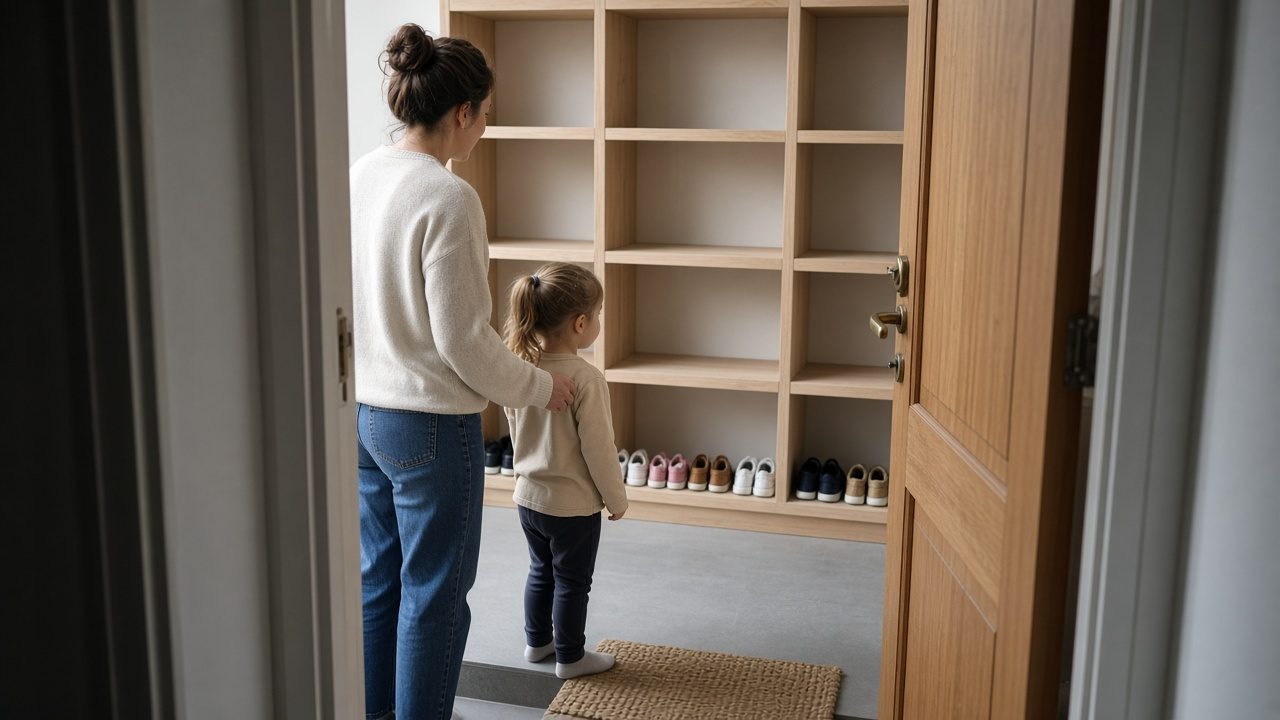
A daycare page should answer what a parent needs before they tour, so the visit can be spent on the day itself. The ages you enroll, the shape of the day, how a tour works, and what you will not decide online belong on the page. The page, the tour request, and the rooms you run have to say the same thing, or the tour becomes a reading of the website.
This guide covers what a parent is checking first, what the page should answer, what the tour is allowed to add, what you do not settle online, and how to compare the page to a recent tour.
Takeaways
- Put ages, the shape of the day, and the way a tour is requested where a parent sees them first.
- Leave the feel of the rooms, and any talk about a specific child, for the visit.
- Do not settle enrollment, a seat, or a child's fit on the page or the form.
- Compare the page with a recent tour and move repeated facts online.
What a Parent Is Checking First
A parent checking the page is trying to decide whether a tour is worth the trip. They want to know if you enroll a child that age, whether the day could line up with the hours they work, and what will happen if they ask to visit. They are not yet asking to feel the room, and if those facts are missing, they will either skip you or arrive with a list of questions the website created.
They are also checking for pressure. A page that pushes enrollment before a visit tells them the tour is a closing conversation, and many parents will still come but spend the visit braced. Say that a tour is a look at the day and that enrollment is a later decision. Parents who need care to start immediately can hear that the look comes first, and hiding the sequence does not make a seat appear.
Read the first screen as a parent with one question: should I tour? If the screen talks about your philosophy and never names ages or the shape of the day, it has not earned the visit. Philosophy can follow, but logistics are what make the tour possible. Childcare & Daycare is the offer, and it should answer the check a parent runs before they give you an hour.
Notice the questions you hear at the start of every tour. Those questions are the page failing in public. Write them down for a little while, because the repeats are the answers to move online, in the same words you already say at the door, so the visit can start in the room instead of in the lobby.
What the Page Should Answer
Answer the ages you actually enroll, in the groups you use in the building. If infants and older children are different rooms with different days, say so, because a single line that welcomes everyone hides the room a parent needs. Use the names you use on a tour, since a cute label that does not match the sign on the door makes the parent translate, and translation is how a misunderstanding starts.
Answer the shape of the day in the words the phone already uses: when the day starts, when it ends, and whether that pattern holds all week. If some days differ, say which. Do not publish a rhythm the rooms do not run, because a parent will ask to see nap, outdoor time, or pickup as you described them, and if the tour has to say the page was idealized, the page was the wrong guide.
Answer how a tour is requested and what it includes: who they will meet, which rooms they will see, and whether a child is expected to come. If you want the child there, say so, and if the first visit is for the parent only, say that too. Tell them what you will ask ahead of time and keep the form to those questions, since a form that re-asks the whole page means the page was not clear.
Answer what happens after the tour in one honest line. You talk, and you do not require a decision in the doorway. If you do sometimes offer a seat because a room is open, say that a seat is discussed only when it is real, not that every tour ends with enrollment. The next step after looking should sound like looking.
What the Tour Is Allowed to Add
The tour is allowed to add what a page cannot hold: the sound of the room, how adults speak to children, and whether the day you described is the day underway. That is the gain of coming in, and if the guide spends the walk reciting ages and hours, the page left its job undone and the tour cannot do its own.
The tour may add a conversation about a specific child: temperament, what the family needs from the day, and questions you would never answer for a stranger on a website. Keep that talk in the visit. The page can say you will talk about the child when you meet, but it should not invite a full story into a form and then reply as if you had met them.
The tour may show the exceptions, such as a room that is full or a part of the day that looks different from the sentence on the page. Say the truth in the room, then fix the page if the exception is actually the pattern. Parents can accept a limit they can see, and they resent a limit that contradicts the sentence that convinced them to drive over.
The tour is not allowed to invent a new offer. A guide who mentions an age group, a schedule, or a start the page never named is making policy in the hallway, so bring that sentence back to the page or take it out of the tour. Senior & Family Services includes other kinds of care, and a daycare tour should not drift into being a different service because a parent asked a wider question.
What You Do Not Settle Online
You do not settle enrollment online. A form can request a tour, but it cannot confirm a seat. Even when you know a room has space, the parent has not seen the day and you have not talked about the child, and a button that pushes enrollment above that conversation makes the tour a formality. Parents feel it, and so do the people who have to walk it back.
You do not settle whether a child will be happy, will nap, or will get along with the room. Those are hopes. The page can describe the day and the tour can show the room, but nobody on the website can see the child, so sentences that promise an easy start are decisions about a person you have not met.
You do not settle cost in one place and a different cost in another. If you talk about what families pay, use the same explanation on the page, on the phone, and on the tour. If you would rather discuss it in person, say that cost is part of the conversation and do not hint at a bargain the tour will not honor, because a parent who feels surprised about money will not hear the rest of the visit.
You do not settle rules you are unwilling to say out loud. If a line about illness, late pickup, or what you expect from families would embarrass the guide, it is either missing or too sharp. Put the real rule where the parent can read it before they fall in love with the room, since a rule introduced after they have said they want to enroll feels like a trap, even when it is ordinary.
How to Compare the Page to a Recent Tour
Compare the page with a tour you remember, not with the tour you meant to give. The gap between those two is where parents get surprised.
- List the questions the parent asked before you reached the first room.
- Find each question on the page. If it is missing, that answer belongs online.
- List what the parent only understood once they were in the room.
- Keep those items on the tour, and take them off any form that pretends to judge them.
- Note any fact the guide said that the page does not say, and any fact the page says that the guide skipped.
- Change the page or the tour so the next parent could have read the logistics and spent the visit on the day.
Ask the guide which part of the script they wish parents already knew. That wish is a paragraph, so add it in the words the guide uses, not in a grander voice. Then go on the next tour and see whether those questions actually disappeared. If they did not, the paragraph is in the wrong place or in the wrong words.
How the Childcare Page and This Article Split the Job
The Childcare & Daycare page is the offer a parent can read before they visit. This article is the decision about which answers belong there and which belong in the room. Triwave Consulting looks at that split before talking about how to bring more parents to the door, since a tour that repeats the website is a sign the split is wrong.
| What the parent needs | The page should do | The tour should do | Leave undecided |
|---|---|---|---|
| Age and room | Name the groups you run | Show those rooms | Whether this child will thrive |
| The day | State the hours and rhythm you keep | Let them see that rhythm | A promise the day will feel easy |
| The visit itself | Say how to request it and what it includes | Walk it as described | Enrollment during the walk |
| Afterward | Say that a decision comes later | Talk about the specific child | A seat the room does not have |
The order of work is initial contact, then a detailed discussion, then implementation. Contact sets a recent tour beside the live page, the discussion chooses what moves online and what the tour is allowed to add, and implementation rewrites the page and the form and tells the guide they can stop reciting what parents can now read. Until that happens, every tour pays the cost of a page that withheld the basics.
Questions
Should the Page Explain What Families Pay?
Only if the explanation matches what you say on the tour, word for word in substance. If you prefer to talk about cost in person, say that it is part of the conversation after a parent has seen the day. Do not hint at a special offer on the page that the tour never mentions, since surprise about cost drowns out the room.
Can You Name the Teachers a Parent Will Meet?
Only when those adults are the ones a touring parent will see, and say so as people they may meet rather than as a promise that never changes. A name on the page reads as the face in the room. If schedules shift, describe the role and make introductions on the tour, because an outdated name is a small breach that feels large at the door.
What Should the Tour Form Ask?
How to reach the parent, the age group as you define it, and the days they need, plus anything you truly need to host the visit, such as whether a child will come along. Do not ask them to describe the child so you can decide enrollment from the form. The form requests a look, and the look is the tour.
What If Parents Still Ask the Same Lobby Questions?
Then the answers are still too hard to find, or they are written in words you do not say out loud. Move them higher on the page and use the guide's phrasing, then listen at the next tours. Questions that remain are either about a specific child, which belong in the room, or about a fact the page still hides.
Who Decides That a Child May Enroll?
You do, after the tour and a real conversation, when a seat in the right room exists. The page does not decide, the form does not decide, and a helper who answers the phone does not decide. If the room is full, say so, since a maybe that means no will meet the parent again as a broken expectation.
Conclusion
Answer the logistics on the page so the tour can show the day. The page, the request, and the rooms have to agree, and enrollment stays after the visit. That agreement is the decision, and the childcare page is where the pre-tour answers live once you have chosen them.
When the daycare page should answer the logistics and the tour should show the day, Speak With Us.